
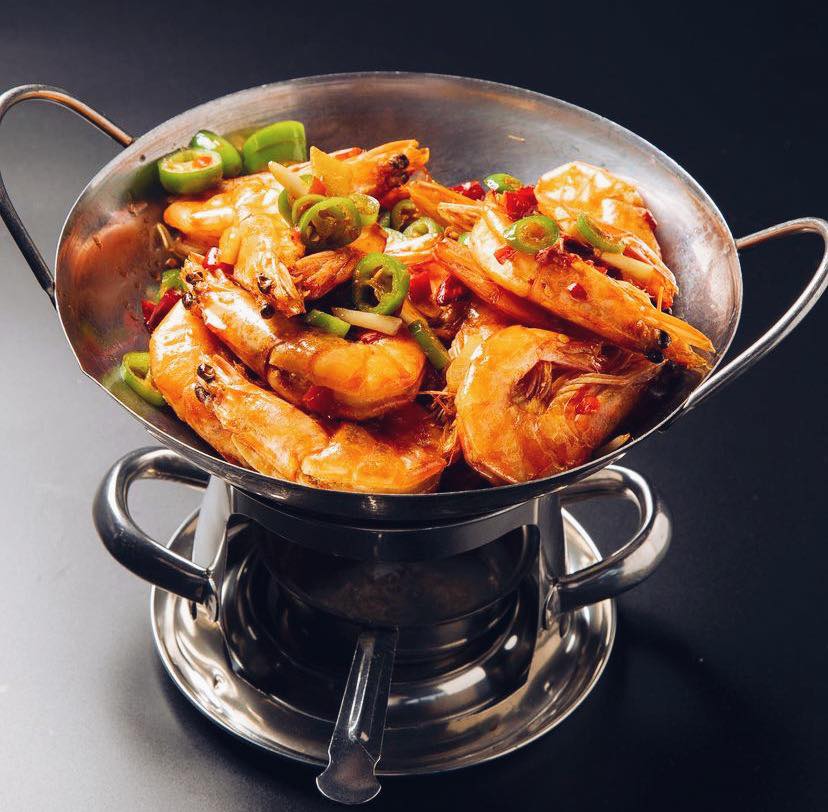
Walk into any Bay Area restaurant on a Friday night and you’ll see the same scene: a phone hovering over a plate, the diner squinting at the screen, a quick swipe through filters, then the resigned shrug before they post. The food was great. The photo is fine. Fine doesn’t earn a save, doesn’t earn a share, and definitely doesn’t earn a Tuesday-night reservation from someone two ZIP codes away.
Here’s the part most owners don’t want to hear: in 2026, your food photography is your menu. It’s the first impression on Instagram, the deciding factor on Google, the thumbnail people screenshot before they tap “directions.” And the gap between a forgettable phone snap and a scroll-stopping shot has almost nothing to do with the phone — and almost everything to do with three minutes of process.
This is the practical food photography playbook we use with Bay Area restaurants. No DSLRs. No light kits. Just the iPhone or Pixel already in your pocket, used the way professionals would use it if they only had ninety seconds before service started.
Why a phone is enough in 2026 (and why most owners still get it wrong)
The iPhone 15 Pro and Pixel 8 already shoot in 48-megapixel ProRAW with computational HDR that handles a backlit pour-over or a candle-lit ramen counter better than the prosumer cameras restaurants were renting in 2018. Equipment isn’t the bottleneck. Habit is.
The owners whose photos quietly outperform every paid ad they’ve ever run aren’t the ones with better gear. They’re the ones who took the time to learn five things: where the light comes from in their dining room, how to lock exposure, how to compose in thirds, how to fix white balance in fifteen seconds, and which dishes simply photograph better than others. That’s the entire curriculum.
The Bay Area light advantage — use it before you lose it
If your restaurant is anywhere from the Marina to Mountain View, you have something New York and Chicago restaurants would pay for: long, soft, west-facing light from roughly 10am until close to 7pm in summer. Walk your dining room right now and find the table closest to a window or skylight. That’s your photo studio. It costs nothing, it’s already paid for, and it will out-perform any LED ring light you can buy on Amazon.
A few Bay Area-specific notes worth knowing. Inner-Sunset and Outer-Richmond restaurants get diffused fog light most mornings — a photographer’s dream because there are no harsh shadows to fight. Mission, SoMa, and the Peninsula get harder direct light by mid-afternoon, so shoot before 11am or after 4pm to avoid blown-out plates. North Bay and East Bay patios get warm golden-hour light from about 6:30pm in summer; that’s when a glass of natural wine or a cocktail genuinely glows on camera.
One rule that fixes 80% of bad restaurant photos: never shoot under the warm tungsten or yellow LED light most dining rooms use after sunset. It will color-cast every white plate orange, and no editing app will fully save you. If you have to shoot at night, move the dish to a window-side table during prep, take the photo in five seconds, then walk it to the guest. Your servers won’t love you for it. Your Instagram will.
The 90-second pre-shot checklist
Before you take a single photo, do these five things. They take ninety seconds combined and they are the single biggest reason professional shots look professional.
1. Wipe the lens. Pull your phone out of your apron, swipe the camera with a clean napkin. The smudge from the last time you texted is the reason every photo looks slightly hazy.
2. Clean the plate rim. A drop of sauce on the white edge will pull the eye to the wrong place. Three seconds with a clean cloth is the difference between an amateur shot and a finished one.
3. Open the native camera, not Instagram. Always shoot in the iPhone or Pixel camera app. Instagram’s in-app camera compresses and crops aggressively. Shoot in the highest quality you can, then post.
4. Tap to focus on the hero. Tap directly on the most important part of the dish — the egg yolk, the crust, the seared edge. Then press and hold until you see “AE/AF Lock.” This locks both focus and exposure so a passing server’s shadow won’t blow out your shot.
5. Drag the little sun icon down a touch. On most phones, after you tap to focus, a small sun slider appears. Pull it down a hair to under-expose by 10–15%. Modern phone cameras consistently overexpose food, washing out the color. Slightly darker shots edit better and look more appetizing every time.
The four shots every dish should get
Don’t take one photo and walk away. The dishes that perform on social are the ones you shot from four angles in under a minute. You’ll use them across Reels, carousels, your menu, your Google Business Profile, and your Yelp top photo — for years.
The overhead (90°). Phone parallel to the table, lens directly above the center of the plate. Best for flat-laid dishes — pizzas, poke bowls, ramen, bento, charcuterie. Gives you the “everything in one frame” image that works perfectly as a square Instagram post or a menu thumbnail.
The 45° (the chef’s angle). The shot you’d see looking down at the plate while seated. This is the workhorse — it shows depth, height, and texture in a way overhead can’t. It’s the right angle for a burger, a benedict, a dim sum tower, a noodle bowl with garnish stacked on top.
The eye-level hero. Phone parallel to the floor, level with the front of the dish. Reserved for tall, dramatic builds — a triple-stacked burger, a soft-serve cone, a ramen with a perfect chashu rosette, a Negroni with the orange peel curled on top. This is the angle that makes food look like a movie still.
The action shot. Pour the sauce, pull the cheese, dust the salt, lift the dumpling. Two seconds of motion, captured as a Live Photo or a 3-second video. This is the single most-shared format on Reels and TikTok in 2026. If you only do one new thing this month, do this.
Plating and staging tricks that elevate any phone photo
You’re not styling for a magazine. You’re styling for a 4-inch screen scrolled at thumb-speed. The visual cues that pop on a tiny screen are different from the ones that pop in person.
Add color contrast on purpose. A bright green herb on a brown braise. A ribbon of red chili oil on white tofu. A pickled radish on a pile of pulled pork. The eye is drawn to color contrast, and the algorithm is drawn to where the eye stops.
Wipe, then garnish, then shoot — in that order. Restaurant kitchens get the order wrong every time: garnish, wipe, shoot. Wiping after you’ve garnished knocks the herbs out of place. Always: clean the plate, place the garnish with intention, then frame the shot.
Show one supporting prop, never three. A single fork. The water glass, slightly out of focus. A folded linen napkin in the corner. One prop says “restaurant.” Three props say “cluttered.”
Negative space is your friend. Don’t fill the frame. Leave a third of the photo empty — wood grain of the table, the curve of a marble counter, the blur of a banquette. The eye needs somewhere to rest, and the empty space makes the food feel intentional rather than crowded.
Edit in sixty seconds (and stop there)
Heavy editing is the tell of an amateur. The goal is to make the photo look like the dish actually looked at the table — slightly brighter, slightly warmer, slightly more contrasty. Free Lightroom Mobile is all you need. Sixty seconds, four sliders.
Exposure: nudge up, not push. Bring it up just enough that the brightest highlight on the plate sparkles. If anything in the frame goes pure white and loses detail, you’ve gone too far.
Shadows: lift gently. Pull shadows up about 15–25 points. This opens up the dark corners of a sauce or the underside of a stacked burger so detail comes back without making the image look flat.
White balance: get the white plate actually white. Drag the temperature slider until the rim of the plate looks neutral, not yellow and not blue. This single adjustment will make your photos look like they were taken by a different person.
Vibrance, not saturation. Vibrance lifts the muted colors (the green of an herb, the red of a sauce) without nuking the already-saturated ones. Push it to about +15. Saturation should usually stay at zero. The difference is the line between “appetizing” and “cartoon.”
Save your settings as a preset called “House” and apply it to every photo for a week. Within a few posts, your feed will start looking like one cohesive brand instead of fifteen different photographers. That visual consistency is what makes new visitors hit follow.
Five mistakes that quietly kill restaurant photos
Shooting under the dining-room light at night. Yellow tungsten on a white plate looks beige, and beige doesn’t sell food. Shoot near a window during the day, or invest in a single soft daylight-temperature LED panel for the kitchen pass.
Using flash. Phone flash flattens texture, throws hard shadows behind the plate, and turns sauces into shiny smears. Never use it. Move the plate, not the light.
Cluttered backgrounds. The bottle of soy sauce, the folded receipt, the iPad behind the bar — they all show up in the photo. Take five seconds to clear the frame before you shoot. Better yet, identify two or three “photo tables” in your dining room with clean wood or stone surfaces and shoot exclusively there.
Filters that look like filters. Anything with a name like “Vintage” or “Moody Café” immediately ages the photo and tells the algorithm it’s lower quality. Stick to the four-slider edit above. If you want a look, build a custom preset and use it consistently.
Posting only the perfect plate. Diners scroll past beauty shots faster than you think. The photos that build a restaurant’s following are the ones that show texture, motion, and the people behind the food — the chef pulling fresh pasta, the bartender lighting a flame, the bao cart steaming on the counter. Mix in process, not just product.
From one good photo to a content engine
One well-shot dish, captured from four angles plus one action clip, is six pieces of content. That’s an Instagram carousel, a Reel, a TikTok, a Story, a new menu thumbnail, and a fresh Google Business Profile post — all from a single ninety-second shoot. Multiply that by the eight or ten dishes you’d shoot in an hour, and you have a month of social content from a single afternoon.
The Bay Area restaurants we work with that have grown the fastest in the past year all share one habit: they treat photography as a weekly operating ritual, not an emergency. They block off ninety minutes every Tuesday before service, shoot the week’s features under window light, edit while the rice cooks, and walk into Friday already three weeks ahead on content. The compounding effect is enormous — every photo strengthens the brand, fills the calendar, and earns the next reservation.
If you’d rather not learn another skill on top of running a restaurant, that’s exactly what we do. Metaroots handles photography, social posts, and the strategy that turns the two into walk-ins for Bay Area restaurants. Tell us about your restaurant and we’ll send back what your photos and feed look like today, what one month with us would look like, and an honest answer on whether it’s worth doing.