
It’s 7:12 on a Friday night in Hayes Valley. A couple just got off BART, the dinner plan they had at 5 p.m. fell apart, and one of them is doing what every Bay Area diner does in that moment — holding their phone two inches from their face typing “restaurants open near me” into Google. They’re not scrolling Instagram. They’re not asking ChatGPT. They are looking at a map with three pins on it, and the next thirty seconds decide whether one of those pins is your restaurant or the spot across Octavia with better photos and a “Reserve a table” button under its name.
That map is your Google Business Profile. And it is — by a wide margin — the most undervalued surface in Bay Area restaurant marketing. Every restaurant we audit between San Mateo and the North Bay obsesses over their Instagram grid, argues about TikTok, and spends weeks workshopping a Reels strategy. Meanwhile their Google profile has 2018 hours, four blurry photos a customer uploaded sideways, and a “Reserve a Table” button pointing to a Yelp page from a previous owner. That profile is doing more to lose them tables every night than anything else on the internet, and almost nobody is fixing it.
This is the Google Business Profile playbook we run with restaurants from the Inner Sunset to the Peninsula. It’s opinionated, it’s practical, and it’s built for the way Bay Area diners actually decide where to eat — which, as much as anyone in marketing wants to pretend otherwise, is still on Google Maps, in the back of a Lyft, with three minutes to make a call.
Your Google Business Profile is your real homepage — your website is the backup
Stop thinking of your website as your front door. For roughly eight out of ten new diners who eat at your restaurant for the first time this month, the first impression they’ll have of you is your Google Business Profile — not your homepage. They’ll see your name in a list of three “local pack” results, they’ll glance at your star rating, they’ll swipe through your photos, they’ll check your hours, and they’ll tap “Directions” or “Reserve.” The entire decision happens inside Google. Your website doesn’t even load. If it loads, it loads after the booking is already made.
That’s why a restaurant in the Marina with a gorgeous, three-month-old website redesign can still be quietly losing tables every weekend if its Google profile shows the wrong closing time, a photo of empty chairs as the hero, and a “Menu” link that 404s. Google is the homepage. The actual homepage is the backup. Once you internalize that, every single fix in this playbook becomes obvious and urgent.
The first photo is your front door — and Google picks it for you unless you intervene
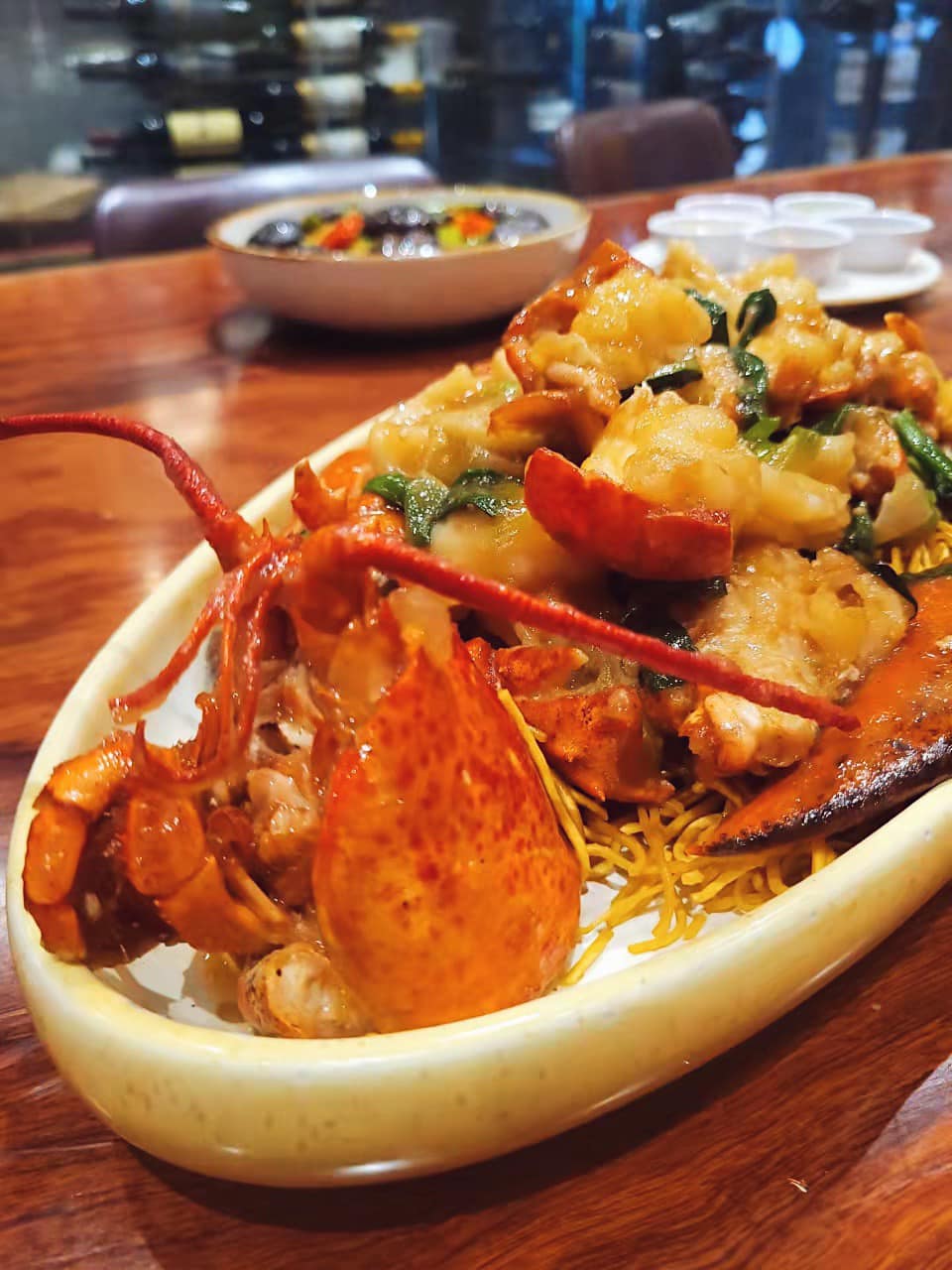
Google decides which photo appears at the top of your profile based on what users upload, click, and tag — not what you wish would appear. Which means the photo a stranger in line for the bathroom took of your overhead lighting two years ago is, right now, probably the first thing 40,000 hungry people see when they search for you this month. That’s not a hypothetical. That’s every fourth restaurant we audit in the Mission, the Outer Richmond, and downtown Mountain View. The first image is some grainy, off-color phone photo of a half-eaten dish, and it’s setting the tone for every reservation decision that follows.
The fix takes a Saturday morning. Upload twenty to thirty hero-quality, well-lit, recent photos directly from your owner account. Lead with three or four of your single most photogenic dish — the one regulars order, the one that already wins on Instagram, the one a food influencer in the Inner Sunset would happily pay for. Add a clean exterior shot taken at the golden hour your restaurant actually looks best (for most Bay Area spots, 5:30 to 6:15 p.m. in summer). Add an interior shot with people in it, not an empty dining room. Add a shot of the bar, a shot of a packed Friday, and a portrait of the chef. Then keep adding two to three new photos every week. Google’s algorithm rewards freshness, and the “most viewed” photo on your profile is a moving target — if you stop feeding it, a stranger’s upload takes over again within months.
Hours, holiday hours, and the “is it open right now?” panic
The single fastest way to lose a Bay Area diner is to make them unsure whether you’re open. Half the searches that hit your profile happen between 5 p.m. and 9 p.m. on a weekday, with a hungry person standing on a sidewalk in SoMa, or in a car circling for parking near Polk Street, trying to figure out if it’s worth the drive. If your hours are wrong, if you’re marked “open” when you’re actually closed for a private event, if your kitchen closes at 9 but Google says 10 — you don’t just lose that one diner. You earn a one-star review for being “closed when it said open,” and that review will sit on your profile for years.
Audit your hours today, then build a calendar reminder for the first of every month to check them again. More importantly, set holiday hours weeks in advance — Mother’s Day, the Fourth of July, the Thursday before Thanksgiving, Christmas Eve, New Year’s Eve, and every three-day weekend Bay Area diners treat as a brunch holiday. Set special hours for Lunar New Year if you serve Chinese food, for Pride weekend if you’re in the Castro, for Outside Lands if you’re anywhere near Golden Gate Park. Google rewards profiles that update holiday hours by surfacing them higher in the “open now” filter. It’s one of the cheapest ranking signals you’ll ever get.
The reservation link decides whether the diner clicks, calls — or leaves
Google now puts a “Reserve a Table” or “Order Online” button directly on your profile, above your hours, above your reviews, above everything. If that button is missing, you are forcing the diner to do work — to find your phone number, to call during a Friday rush when your host is buried, to navigate to a website, to figure out which third-party reservation system you use. Every one of those extra steps is a chance to lose them to the spot one block over that booked a table in two taps.
Connect your reservation platform — OpenTable, Resy, Tock, SevenRooms, whatever your house runs on — directly through Google’s “Reserve with Google” integration. Then double-check that the link actually works on mobile. We’ve audited dozens of Bay Area restaurants where the reservation button sends the diner to a desktop-only widget that breaks on iPhone, or a generic OpenTable search page instead of the restaurant’s actual booking flow. Test it yourself, on your own phone, while standing outside the restaurant. If it doesn’t book a table in under fifteen seconds, fix it before you spend another dollar on advertising. There is no Reel that fixes a broken reservation link.
Reviews are not a vanity metric — they are a ranking signal and a closer
Google’s local pack — the three restaurants that show up on the map above the fold — is decided by three things: relevance, distance, and prominence. Prominence is mostly reviews. Volume of reviews. Recency of reviews. Average star rating. And the keywords that appear inside the reviews themselves. A restaurant in the East Bay with 380 recent reviews mentioning “best burger” will rank for “best burger near me” over a restaurant with 90 reviews that says nothing specific, even if the second restaurant is closer. Reviews are not a popularity contest. They’re your SEO.
Build a quiet, sustainable review-generation habit into your service. Train your servers to ask the table that just told them “this was amazing” to leave a Google review — not Yelp, not Tripadvisor, Google specifically. Print a small card with a QR code that links straight to your review form, and hand it out with the check when the table is clearly happy. Then — and this is where most Bay Area restaurants drop the ball — respond to every single review. Every five-star, every one-star, every weird review where someone complains about parking. Mention the dish they ordered, thank them by name. A profile where the owner responds to reviews converts higher than a profile with a better rating and no replies — diners read the responses before they read the reviews, looking for signs that there’s a human running the place.
Google Posts are free real estate that 95% of Bay Area restaurants ignore
Inside your Google Business Profile dashboard, there’s a feature called Posts — short, dated updates that appear inside your profile in search results, complete with a photo, a couple sentences, and a button. Almost no restaurant uses it. We pull up profiles in Noe Valley, the Sunset, San Mateo, and the East Bay every week and the Posts section is empty, or the last post is from October 2022 announcing pumpkin ravioli. That is a free promotional slot inside Google search, attached to your restaurant name, that nine out of ten competitors are leaving on the table.
Post once a week. Use it for what it’s actually good at — a new menu item with a great photo, a weekly special, a holiday hours announcement, a press mention, a chef collaboration, a wine dinner. Each post lives for seven days, then rolls off. That weekly cadence is enough to tell Google your profile is active, which feeds back into how often you appear in local search. It also gives the diner who lands on your profile something to react to — a reason to feel like the restaurant is alive and changing, rather than a static listing.
The Q&A panel is where diners answer each other — and sometimes sabotage you
Scroll down on any restaurant profile and you’ll find a “Questions and answers” section that almost no owner has ever opened. Diners post questions there — “do you have gluten-free pasta?,” “is there parking on Saturday night?,” “do you take walk-ins?” — and other diners answer them. Sometimes correctly. Often not. We’ve seen a beloved Marina sushi spot whose Q&A told three years of new diners that they didn’t take reservations, when they absolutely do. We’ve seen a North Bay pizza place whose top-voted answer claimed they were “probably closed” because the person answering hadn’t checked. Every wrong answer in that section is a table you didn’t get.
Take ten minutes to do two things. First, scroll through the existing questions and answer each one yourself, from the owner account, with a clean, accurate reply that pushes any incorrect community answer further down the list. Second, seed your own questions — log in as a regular customer (a friend, a family member, anyone with a personal Google account) and post the questions your front-of-house team gets asked at the door every night. “Do you have a vegetarian tasting menu?” “Is the patio dog-friendly?” “Can we book a private room for a birthday?” Then answer them from your owner account with the right information and the right link. That panel becomes a mini-FAQ that converts hesitant diners into walk-ins, instead of a graveyard of bad answers from strangers.
The 30-minute Saturday morning audit that fixes 80% of the damage
You do not need a quarterly SEO project to fix your Google Business Profile. You need thirty quiet minutes on a Saturday morning, a cup of coffee, and a willingness to look at your own listing the way a stranger does. Open Google in an incognito tab. Search your restaurant name. Then search the way a diner would — “Italian Outer Richmond,” “dim sum Peninsula,” “late night ramen SoMa.” Look at where you appear in the local pack. Click your own profile. Swipe through the photos as if you’ve never been there. Read the top three reviews. Try to book a table from the button. Try to find your menu. Try to figure out if you’re open right now.
Write down everything that takes more than three seconds, looks unappetizing, or doesn’t match the restaurant you actually run. Then spend the next thirty minutes fixing the top five items. Update the hero photo. Fix the hours. Replace the reservation link. Reply to the last ten reviews. Write one Google Post. That’s it. Do that on the first Saturday of every month and you will outrank, out-click, and out-convert every restaurant on your block that’s still treating Google like an afterthought.
If you’d rather not run the audit yourself, or you’ve looked at your own profile and you know it’s a mess but you don’t have the bandwidth to fix it before the weekend rush — that’s what we do. Talk to Metaroots and we’ll run a free audit of your Google Business Profile, your reviews, and your local search visibility across the Bay Area, and tell you exactly which fixes will move the needle on reservations this month. No fluff, no retainer pressure, just the list.